14 of November of 2024
Set Up GA4 Events with Tag Manager Dashboards

Isaac Correa
Google Analytics
Productivity & Automation

Understand how users interact with your site, tracking custom events like clicks on a call-to-action (CTA)
How to Set Up Custom Events in GA4 Using Google Tag Manager: Full Guide
Introduction
To understand how users interact with your site, tracking custom events like clicks on a call-to-action (CTA) button or specific user actions can be incredibly helpful. Google Tag Manager (GTM) and Google Analytics 4 (GA4) make it easy to set up and track these actions with precision. Here, we’ll take you through each step—from creating a custom tag in GTM to verifying it in GA4 and visualizing it in a reporting dashboard.
Step 1: Log in to Google Tag Manager (GTM)
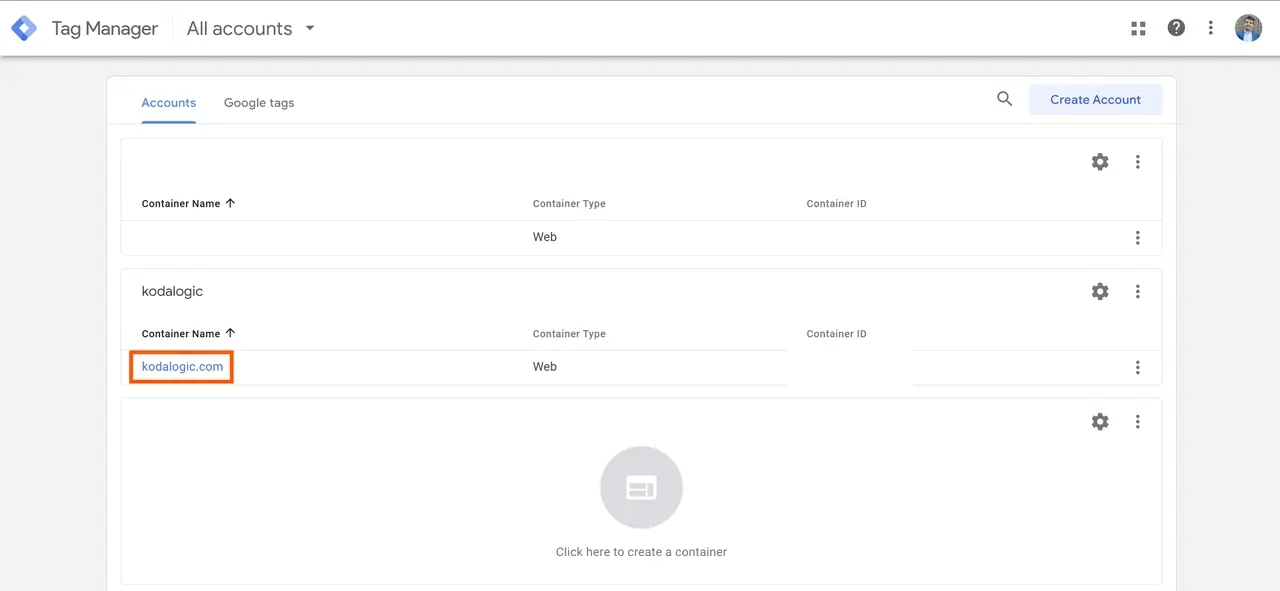
First, access Google Tag Manager by logging into your account. In GTM, select the container associated with the website where you want to track specific events.
Tip: GTM’s container system allows you to manage all tracking tags for a site from one place, making it easier to update and track events in the future.
Step 2: Create a New Tag for the Event
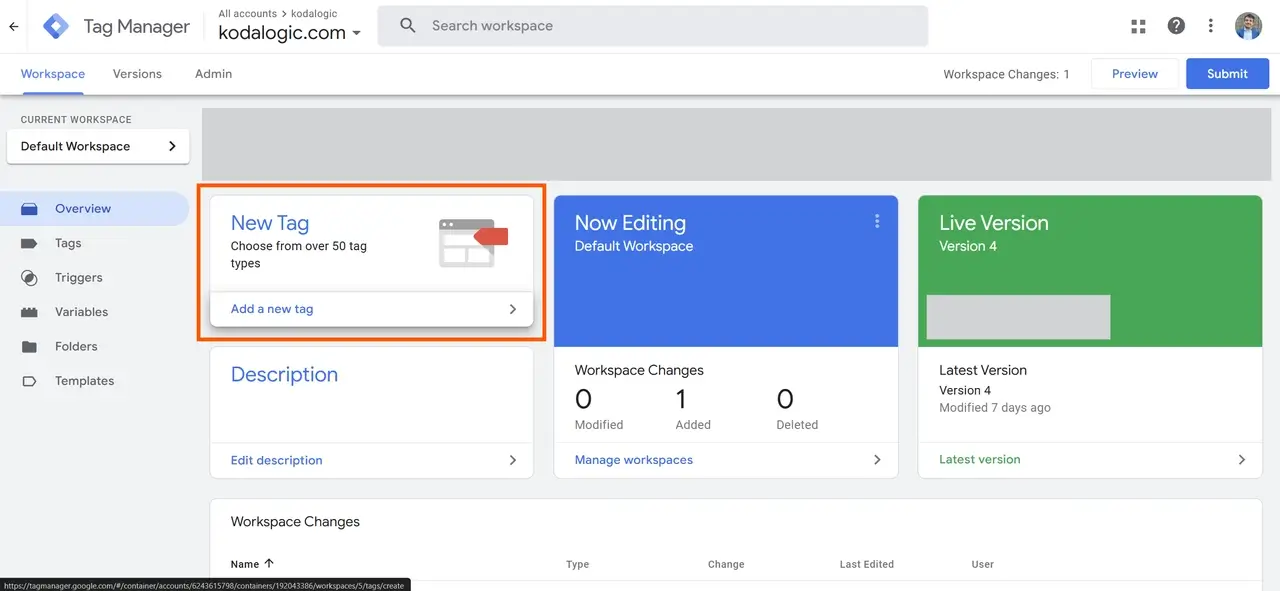 Once logged into GTM, you’ll begin by creating a new tag to capture the custom event.
- Go to Tags in the left sidebar, then click New to create a new tag.
- Name your tag something clear and descriptive, like “Click | Templates” (if you’re tracking clicks on a “Templates” button).
Tip: Choose a naming convention that makes it easy to understand what the tag does, such as “Action | Element.” For example, “Click | SignUpButton” makes it easy to identify this tag as tracking clicks on a sign-up button.
Step 3: Configure the Tag
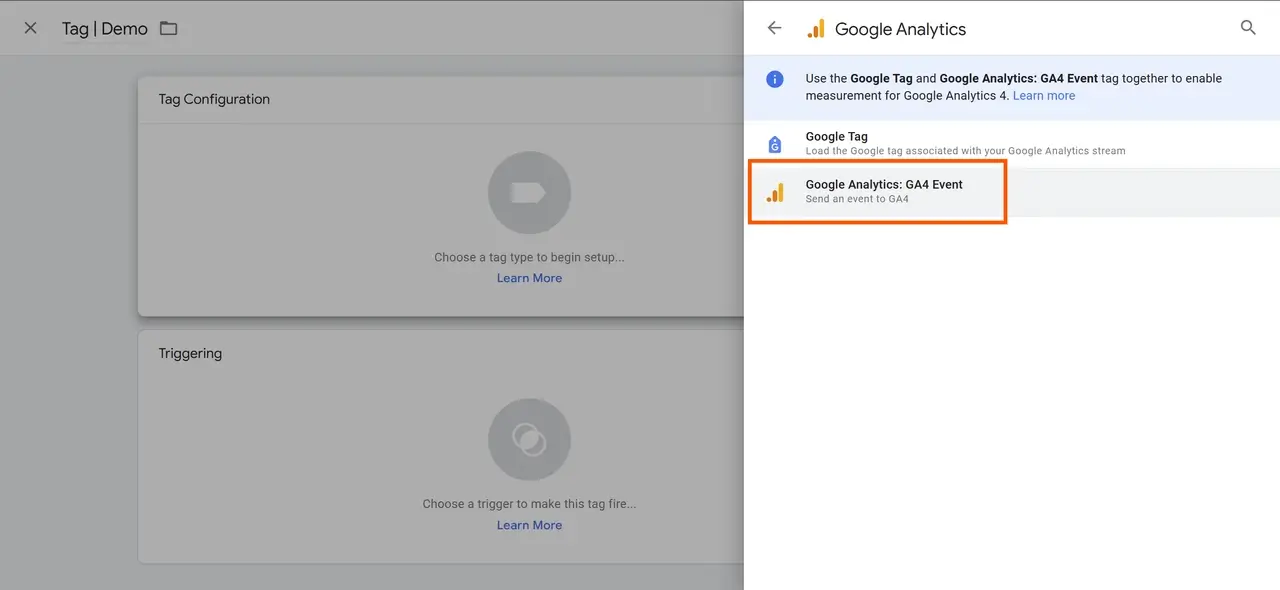
In the new tag window, you’ll see two main sections: Tag Configuration and Triggering.
- Select Tag Configuration to choose the type of data this tag will track.
- In Tag Type, select Google Analytics: GA4 Event. This allows the tag to send data directly to GA4.
Adding the Measurement ID
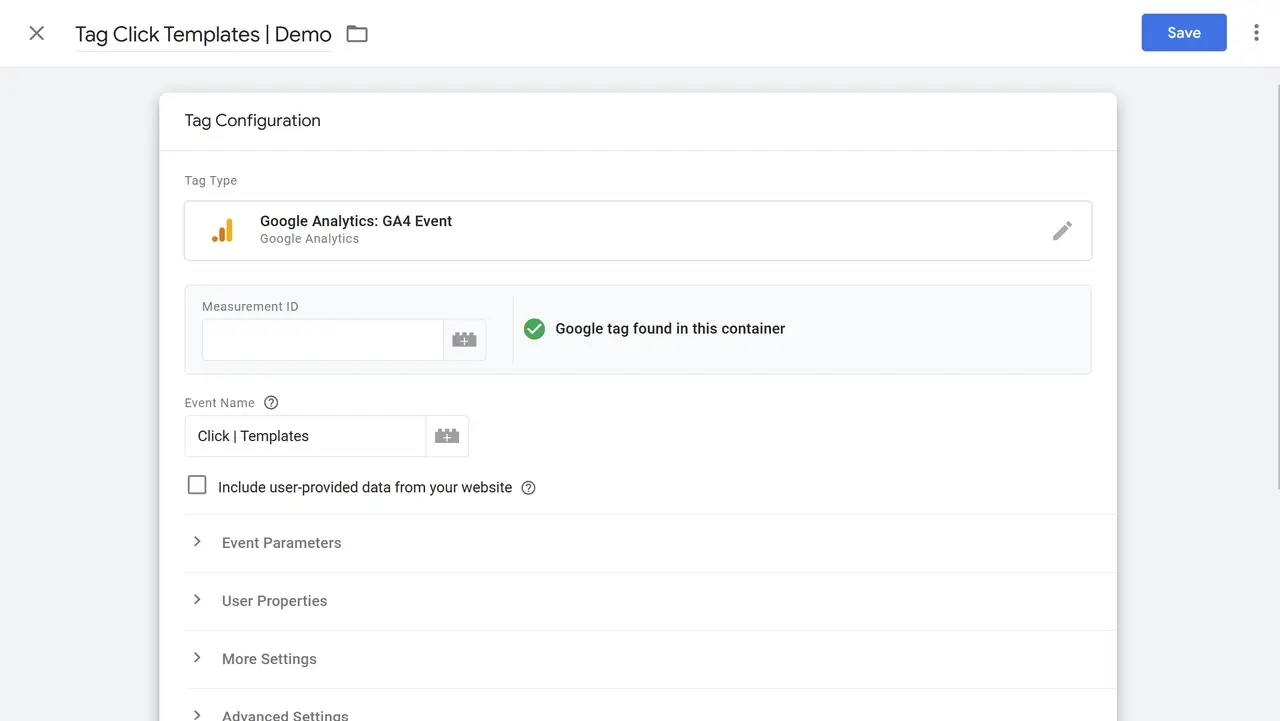 Before proceeding, you’ll need your Measurement ID to connect GTM with the correct GA4 property.
What is the Measurement ID?
The Measurement ID is a unique identifier in GA4 that connects data from GTM to your specific GA4 property. It ensures that the event data tracked by GTM appears correctly in your GA4 reports.
Finding Your Measurement ID in GA4
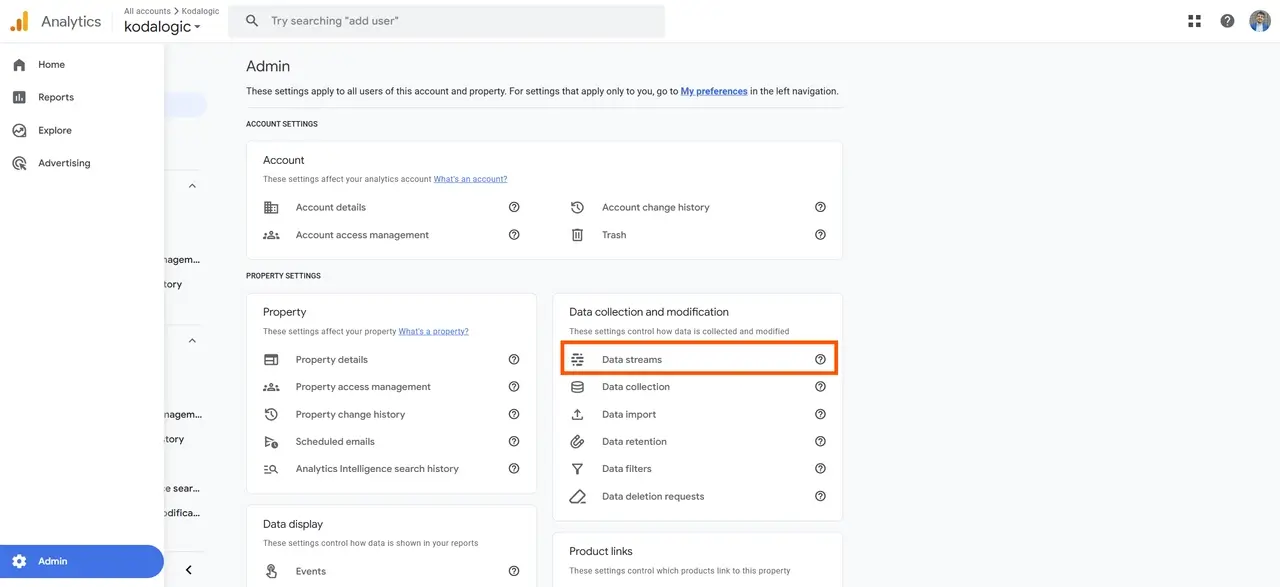
- Log in to Google Analytics 4.
- In the left sidebar, scroll down and click Admin (the gear icon).
- Under Property, select Data Streams.
- Choose your web data stream. Your Measurement ID will appear as a code starting with “G-...”.
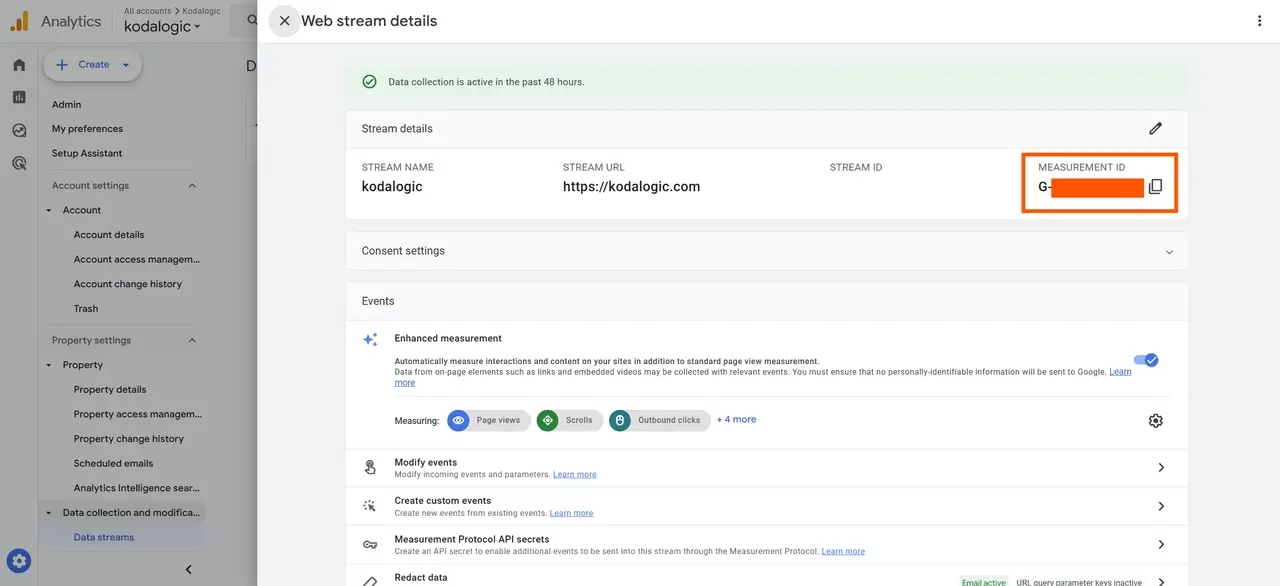
Copy this Measurement ID and paste it into the Measurement ID field in GTM’s Tag Configuration section.
Step 4: Set Up Event Name and Parameters
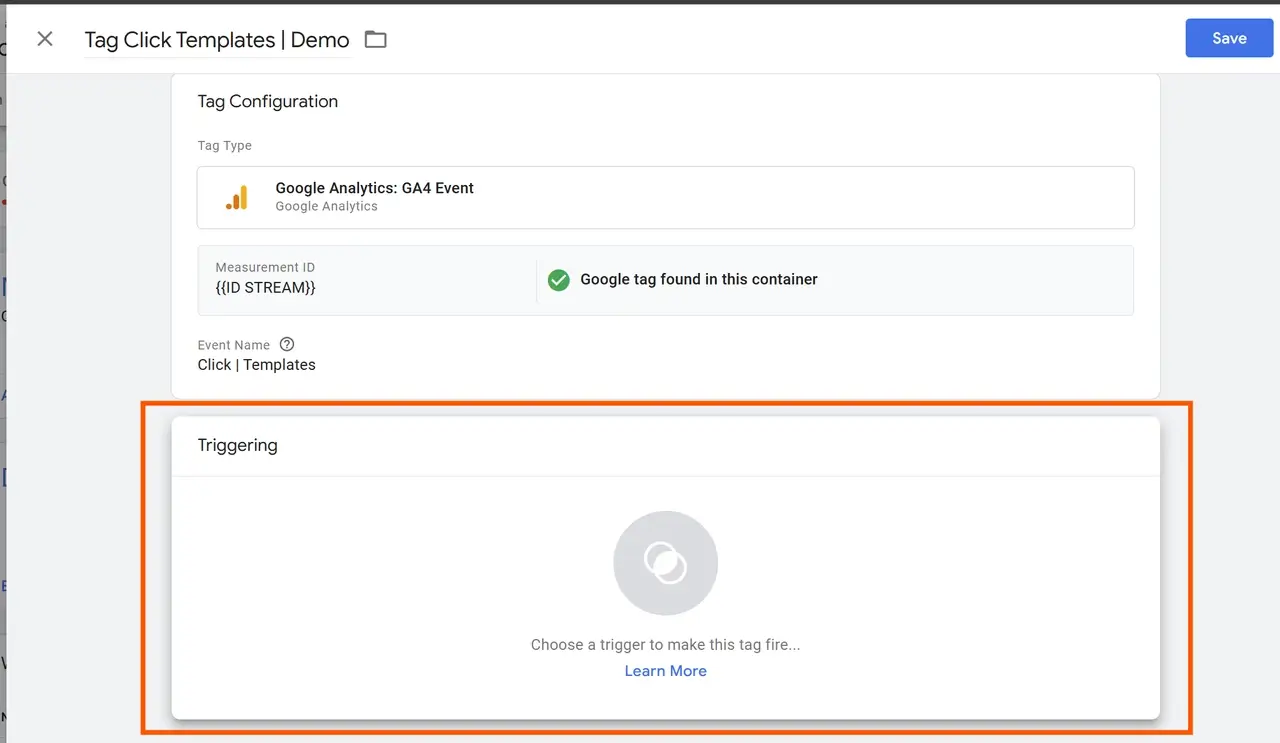
In GTM’s tag configuration, you’ll need to enter:
- Event Name: This is the name you give to the action you’re tracking. For example, if you’re tracking a click on a “Templates” CTA button, use an event name like “click_templates.”
- Event Parameters: Parameters add context to the event. For example:
- button_text: Captures the exact text on the button, such as “Templates.”
- page_path: Tracks the URL where the event occurred, which is helpful if the same button appears on multiple pages.
Tip: Using clear and consistent event names helps you easily locate and analyze the event data later in GA4.
Step 5: Set Up Triggering for the Event
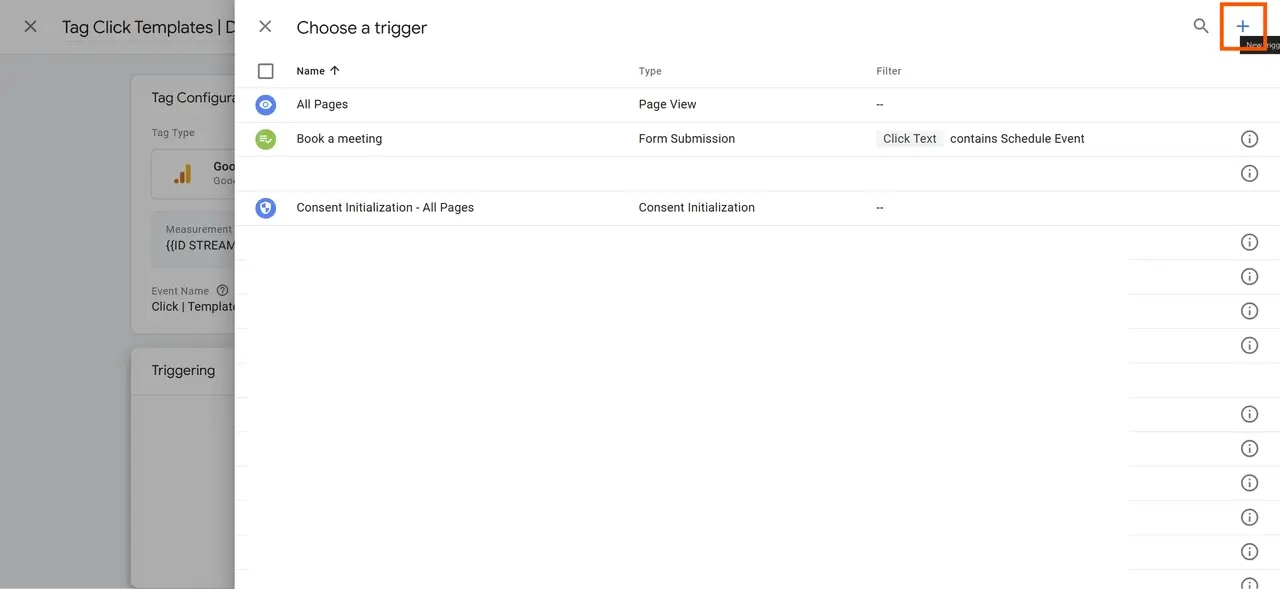
After configuring the tag, it’s time to set up a Trigger. A trigger specifies the action that “fires” (or activates) this tag.
- Click on Triggering and then click the + icon in the top right to create a new custom trigger.
- Choose the Trigger Type. Select Click – All Elements if you’re tracking a button click.
Configuring Trigger Conditions
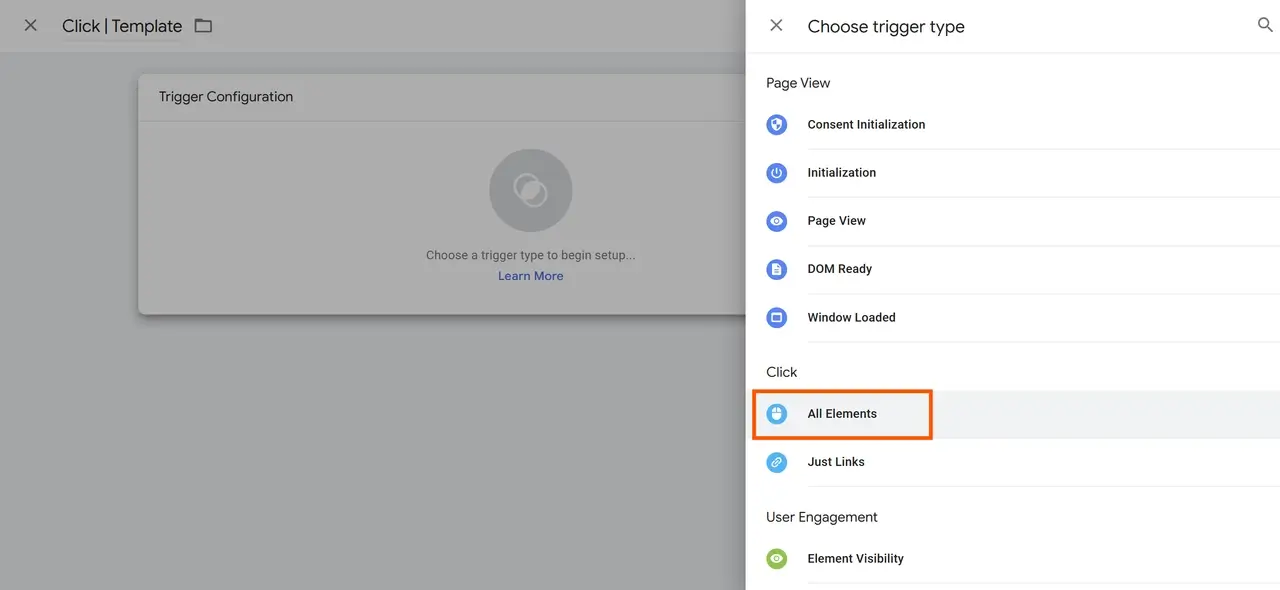
- To track a specific button, choose Some Clicks to filter this trigger.
- Set conditions to identify your target button. For example, you could set a condition based on the button text (e.g., “Templates”).
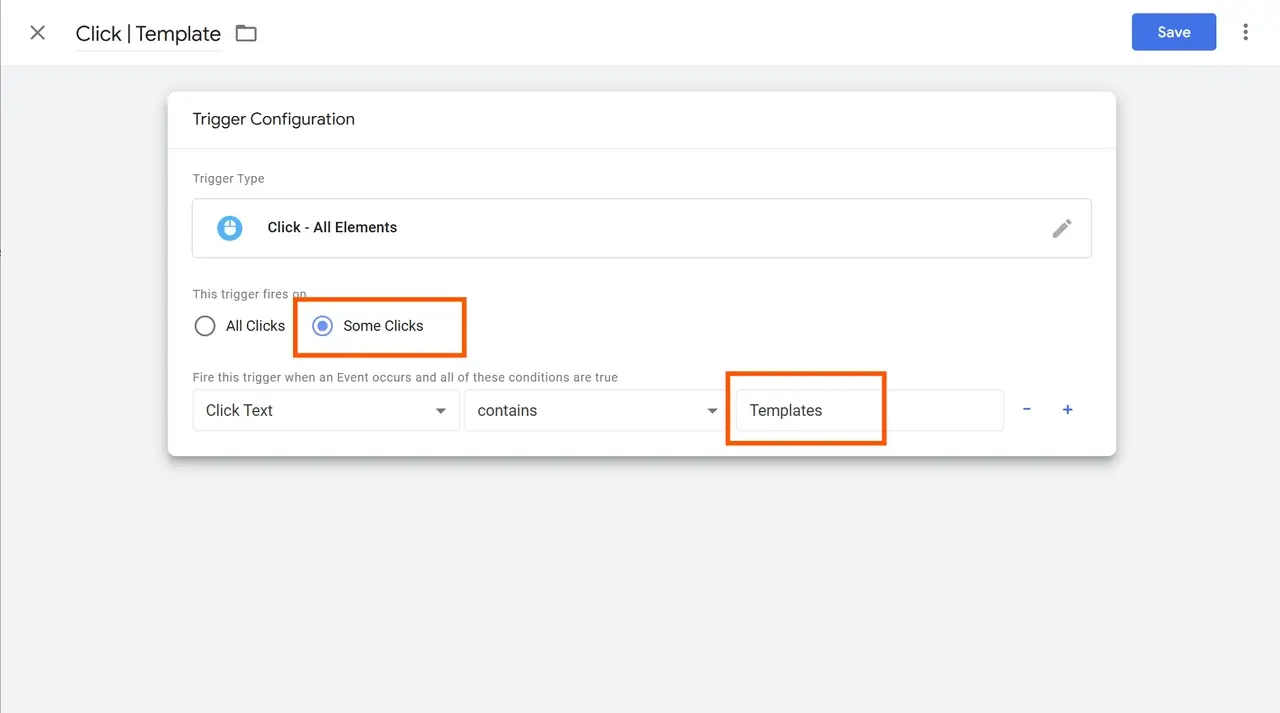
- Name the trigger clearly, like “Click | Templates.” This makes it easy to identify in your GTM dashboard.
Step 6: Save and Test Your Tag in Preview Mode
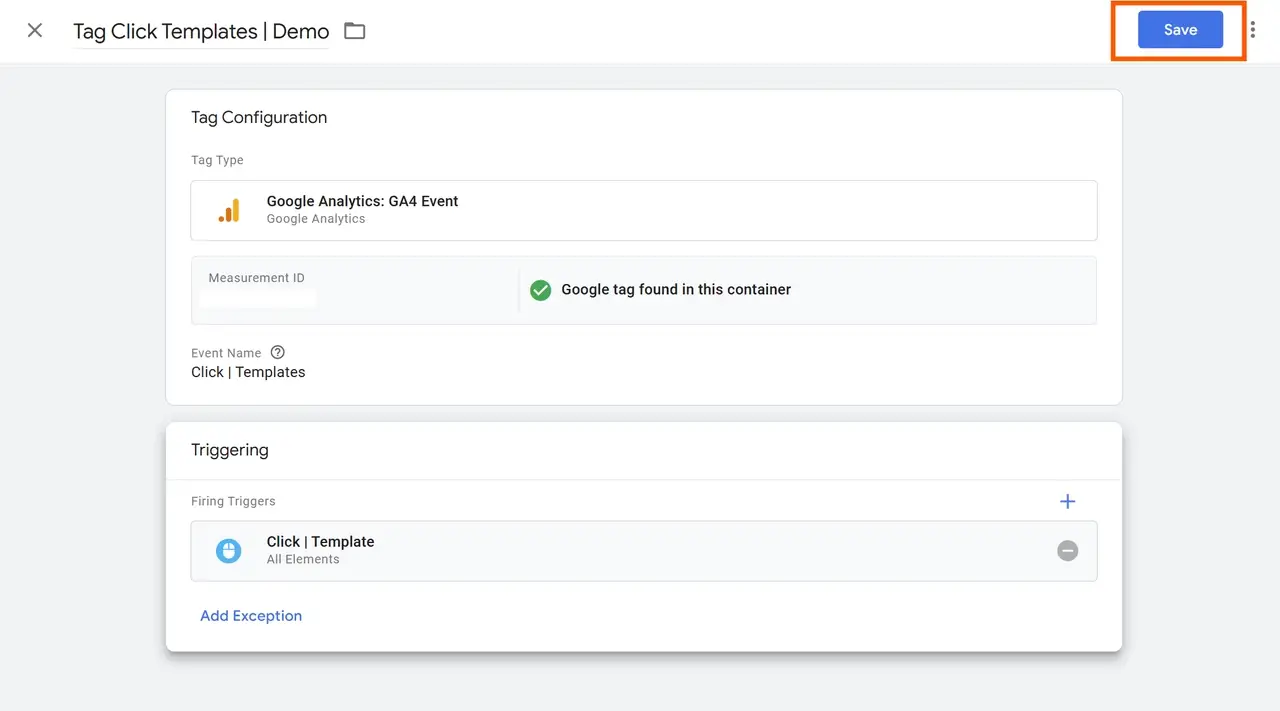
With the tag and trigger set up, it’s time to test the configuration:
- Save the Tag: Click Save in GTM.
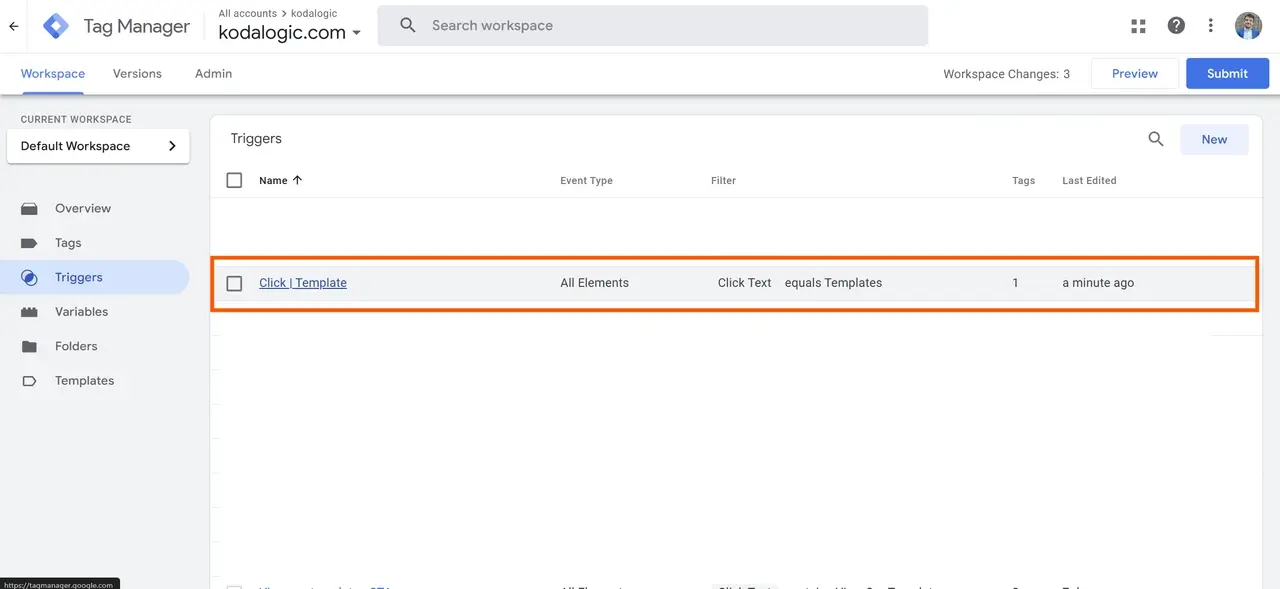
-
Enter Preview Mode: At the top right of GTM, click Preview to enter Preview Mode. You’ll be prompted to enter your website’s URL.
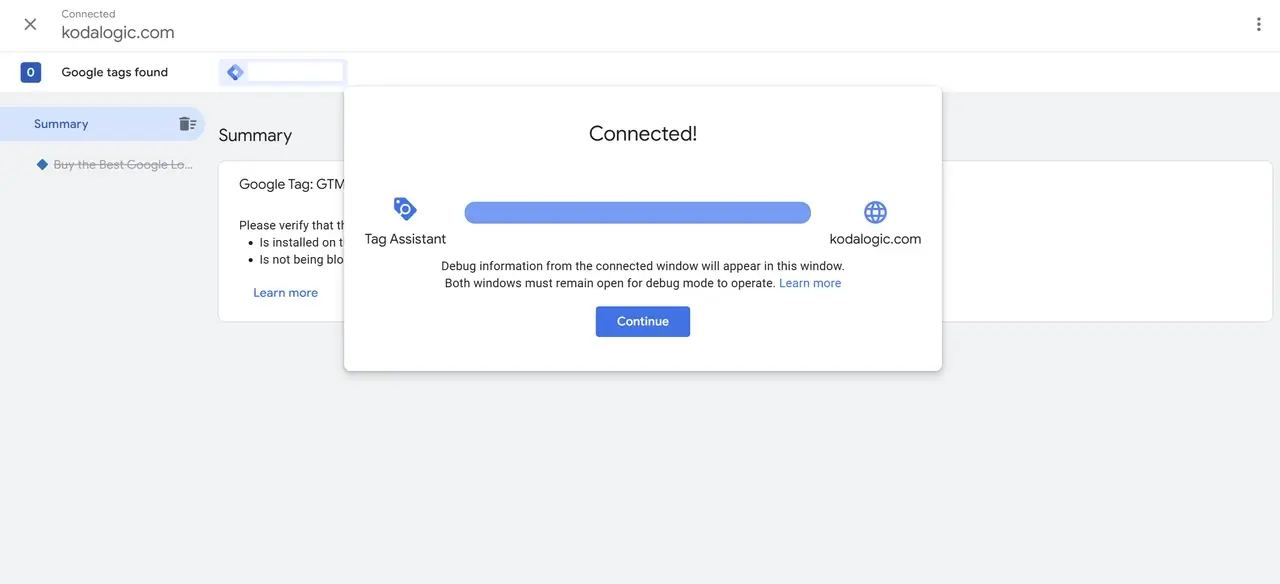 In Preview Mode, your website will load in a new tab, and you can interact with it as if you were a regular visitor.
 -
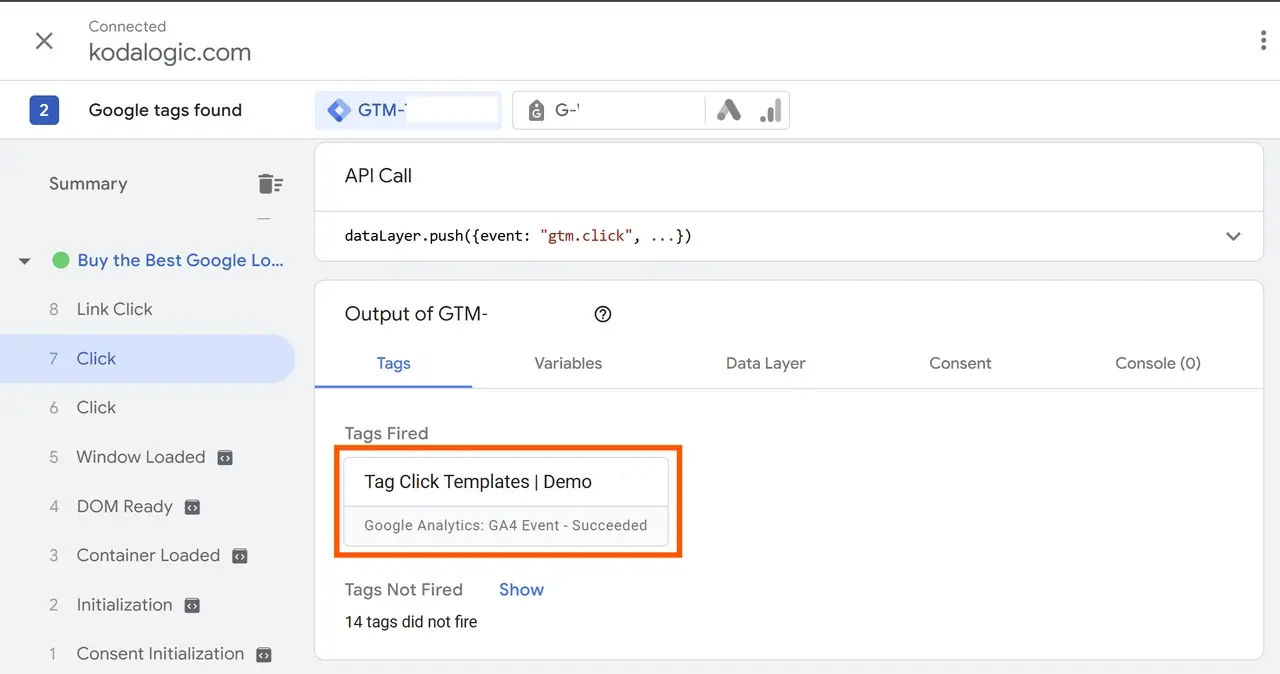
Click the CTA Button: Interact with the button you set up to test if GTM records the event.
-
Check GTM for Event Log: Return to GTM and look for a “Tag Fired” message. This confirms that the event was triggered successfully.
Step 7: Publish Your Tag in GTM
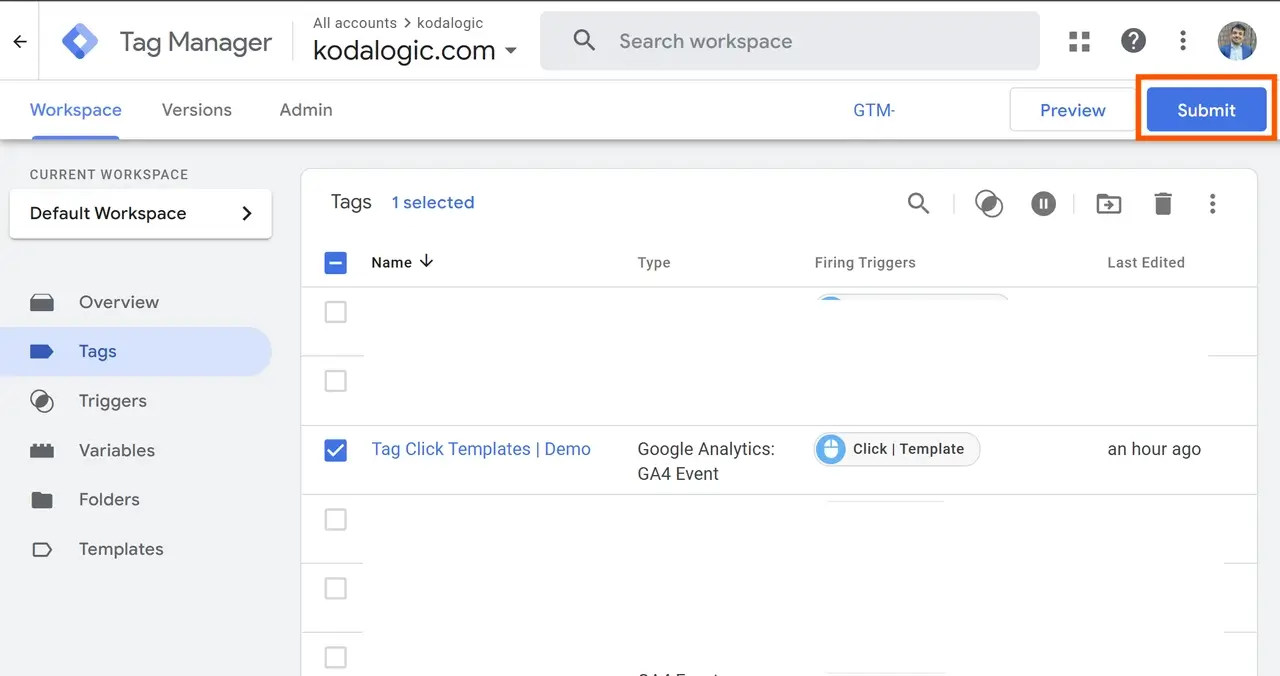
If the event worked correctly in Preview Mode, you’re ready to make it live.
- Submit: In GTM, click Submit to save and publish your changes.
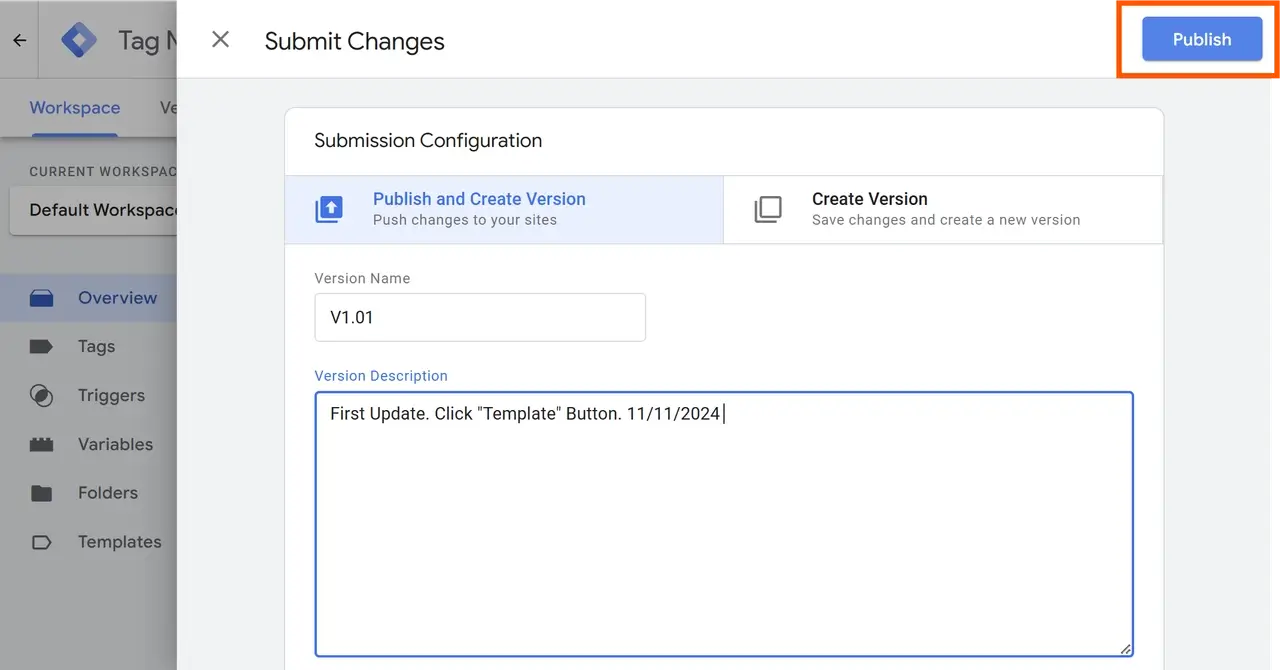
- Version Naming: Give this version a descriptive name (e.g., “CTA Click Tracking”) and click Publish.
Now your custom event is live and will be sent to GA4 whenever a user clicks the tracked button.
Step 8: Verify Your Event in GA4
To confirm that GA4 is receiving data from your custom event:
- In GA4, go to Reports > Realtime.
- Interact with the button on your website and check if the event appears in the Realtime report.
If you see the event listed, your custom setup is complete and successfully sending data to GA4!
Step 9: Optional—Mark the Event as a Conversion in GA4
If this action is a key part of your user journey (e.g., clicking a CTA that leads to a purchase), you may want to track it as a conversion in GA4:
- In GA4, go to Configure > Events.
- Find your custom event in the list, and switch on Mark as conversion.
Tracking it as a conversion will provide additional insights into the event’s role in achieving your business goals.
Step 10: Creating a Dashboard in Looker Studio for Custom Events
Setting up custom events in GA4 via Google Tag Manager allows you to track specific user actions on your site. By following this step-by-step guide, you’ll be able to capture essential interactions, verify them in GA4, and even visualize them in Looker Studio for deeper insights.
Ready to take event tracking to the next level? Explore our customizable Looker Studio templates and start optimizing your website’s performance today!